Why Is My Website Slow? (And How to Fix It Fast)

Why Is My Website Slow? (And How to Fix It Fast)

Published by GenShift | Web Hosting & Performance Tips

You open your website. You wait. And wait. And wait.

That spinning loading icon is costing you real money. Real visitors. Real customers.

Here’s the truth: a slow website is not just annoying — it’s deadly for your business.

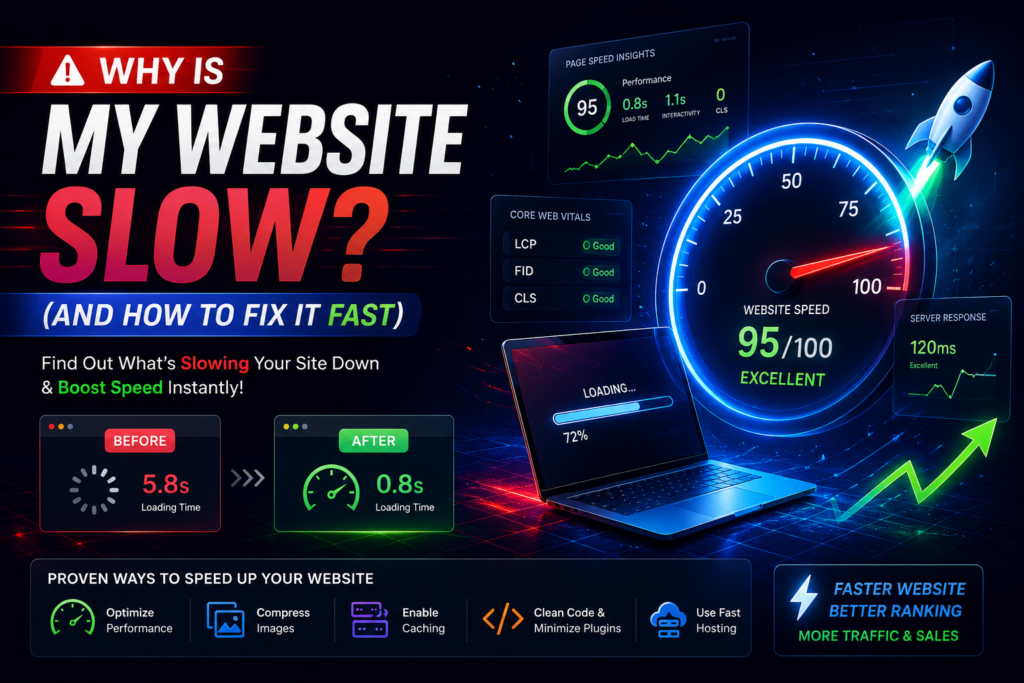
Google ranks fast websites higher. Visitors leave slow websites in seconds. And every extra second of load time can drop your sales by up to 7%.

So why is your website slow? And more importantly — how do you fix it?

Let’s break it all down in simple, plain English. No confusing tech jargon. Just straight answers.

Why Website Speed Actually Matters

Before we dive into the causes, let’s understand why you should even care about this.

Google cares about speed. Since 2021, Google has been using something called “Core Web Vitals” as a ranking factor. This means a slow website literally gets ranked lower in search results — even if your content is great.

Visitors don’t wait. Studies show that 53% of mobile users leave a website if it takes longer than 3 seconds to load. Three seconds. That’s all you get.

Conversions drop. For every 1 second delay in page load time, conversions can drop by 7%. So if your website makes $1,000 a day, a 3-second delay could cost you $210 every single day.

Your reputation takes a hit. A slow website makes people think your business is unprofessional or untrustworthy. First impressions are everything online.

Now that you understand what’s at stake, let’s find out what’s slowing you down.

Why Is My Website Slow? (And How to Fix It Fast)

1. Your Hosting Plan Is Too Slow

This is the #1 reason most websites are slow — and most people never even think about it.

Cheap shared hosting means your website is sharing a server with hundreds (sometimes thousands) of other websites. When those websites get traffic, your website suffers. Your resources — CPU, RAM, disk speed — are all shared.

Think of it like this: shared hosting is like living in a crowded apartment building with one shared bathroom. Rush hour is a nightmare.

Signs your hosting is the problem:

  • Your website is slow even after trying everything else
  • Your server response time (TTFB) is above 500ms
  • Your website slows down during peak hours

What to do:

  • Upgrade to a better shared hosting plan with more resources
  • Switch to VPS (Virtual Private Server) hosting — your own dedicated resources, much faster
  • Consider cloud hosting — scales automatically with your traffic
  • Make sure your server is located close to your visitors — a server in the USA will be slow for visitors in Pakistan

💡 GenShift Cloud Tip: Our hosting plans are optimized for speed with SSD storage, LiteSpeed web servers, and data centers that load fast for Pakistani audiences. Check our hosting plans →

2. Your Images Are Too Big

This is probably the most common reason websites are slow — and the easiest to fix.

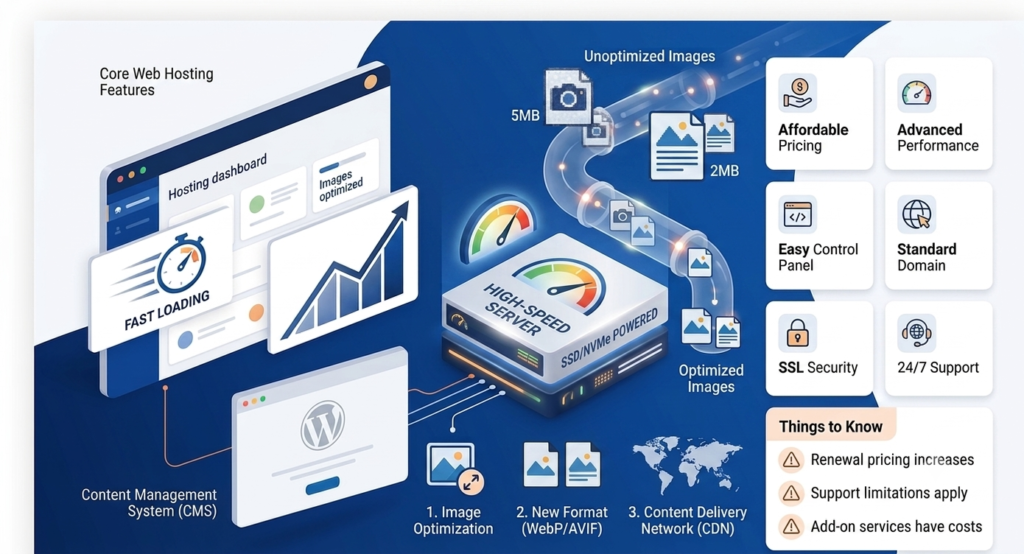
Most people upload images directly from their phone or camera. These images can be 3MB, 5MB, even 10MB each. Your homepage might have 10 of these images. That’s 50–100MB just for the photos — and your visitor has to download all of that just to see your page.


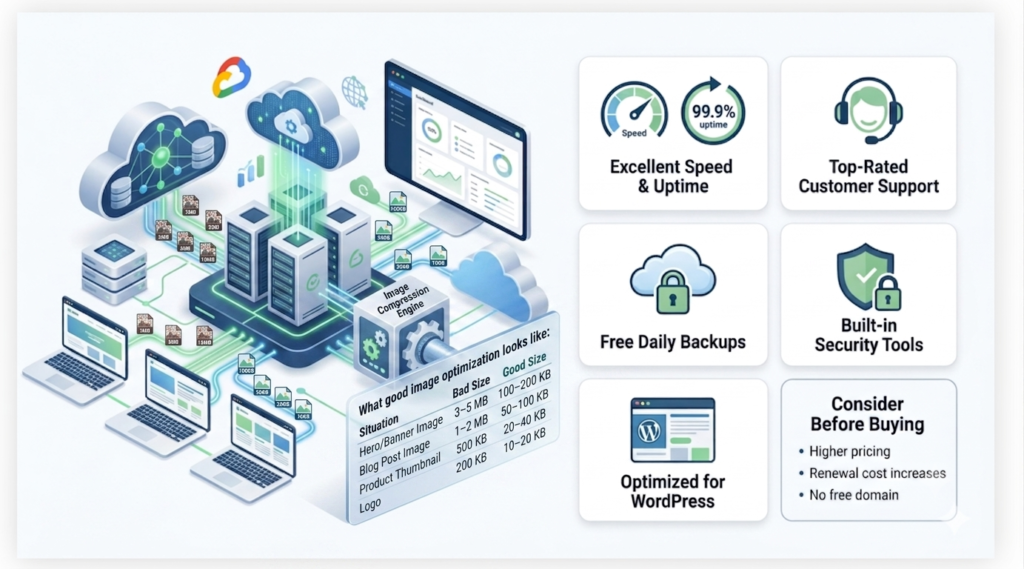
What good image optimization looks like:

Situation Bad Size Good Size
Hero/Banner Image 3–5 MB 100–200 KB
Blog Post Image 1–2 MB 50–100 KB
Product Thumbnail 500 KB 20–40 KB
Logo 200 KB 10–20 KB
Why Is My Website Slow? (And How to Fix It Fast)

How to fix it:

  • Compress images before uploading — use free tools like TinyPNG or Squoosh
  • Use the WebP format instead of JPG or PNG — same quality, 30% smaller size
  • Resize images to the actual display size — don’t upload a 4000×3000 image if it shows at 800×600
  • Use lazy loading — images only load when the visitor scrolls to them

On WordPress, plugins like Smush, ShortPixel, or EWWW Image Optimizer can automatically compress all your images.

Why Is My Website Slow? (And How to Fix It Fast)

3. Too Many Plugins and Scripts

If you’re using WordPress (or any CMS), plugins are incredibly useful. But too many plugins = too much code = slow website.

Every plugin you install adds more files, more database queries, and more JavaScript and CSS that your visitor’s browser has to load.

A website with 40+ plugins is almost always slow. Some website owners install a plugin for every tiny thing — a plugin for social sharing, a plugin for the date, a plugin for a countdown timer. These all add up.

What to do:

  • Audit your plugins. Go through each one and ask: “Do I actually need this?”
  • Deactivate and delete unused plugins — not just deactivate. Delete them completely.
  • Replace multiple small plugins with one multipurpose plugin
  • Check which plugins are causing slowdowns using tools like Query Monitor (WordPress)

A good rule of thumb: keep your plugin count under 20 for a fast website.

Why Is My Website Slow? (And How to Fix It Fast)

4. No Caching Is Set Up

This is a big one that many website owners miss.

What is caching?

Every time someone visits your website, the server has to process PHP code, run database queries, fetch data, and build the page — just to send it to that one visitor.

Caching saves a ready-made copy of your page. The next visitor gets the pre-built copy instantly — no processing needed. It’s like making 100 sandwiches in advance versus making each one fresh when ordered.

Types of caching:

  • Page caching — saves full HTML pages
  • Browser caching — stores files in the visitor’s browser so repeat visits are instant
  • Object caching — stores database query results
  • Server-side caching — done at the web server level (Nginx, LiteSpeed)

How to enable caching:

On WordPress, use one of these plugins:

  • WP Rocket (paid, best option)
  • W3 Total Cache (free)
  • LiteSpeed Cache (free, best for LiteSpeed servers)

If you’re on a GenShift Cloud hosting plan, LiteSpeed Cache is already available and free to activate. It’s one of the most powerful caching solutions available.

5. No CDN (Content Delivery Network)

Imagine your website server is in London. A visitor from Lahore, Pakistan opens your website. Every single file — images, CSS, JavaScript — travels all the way from London to Lahore. That’s thousands of miles of data traveling every time someone loads a page.

A CDN (Content Delivery Network) fixes this by storing copies of your website’s files on servers all around the world. When someone in Lahore visits your site, they get the files from the nearest server — maybe in Dubai or Singapore — instead of London.

Result: Dramatically faster load times, no matter where your visitors are.

Result: Dramatically faster load times, no matter where your visitors are.

  • Cloudflare — free plan available, very popular, easy to set up
  • BunnyCDN — affordable, great for global reach
  • KeyCDN — pay-as-you-go pricing

Cloudflare’s free plan alone can speed up your website significantly and also protects it from hackers and DDoS attacks. It’s a no-brainer for any serious website.

6. Your Website Has Too Much Code

Your website’s HTML, CSS, and JavaScript files might be full of unnecessary spaces, line breaks, and comments. This is called “unminified” code. While this is fine for developers to read, it adds unnecessary file size.

Minification removes all that extra whitespace and makes files smaller.

Example:

/* Button Styles */
.button {
    background-color: #009A22;
    color: white;
    padding: 10px 20px;
    border-radius: 5px;
}

After minification (minified CSS):

.button{background-color:#009A22;color:white;padding:10px 20px;border-radius:5px}

How to minify your code:

  • WordPress: Use WP Rocket, Autoptimize, or LiteSpeed Cache — they handle this automatically
  • Manual: Use online tools like CSS Minifier or JS Minifier

Also make sure to combine multiple CSS and JS files into fewer files. Instead of loading 15 separate CSS files, combine them into one. This reduces the number of requests the browser makes.

7. Your Database Is a Mess

Every WordPress website (and most dynamic websites) uses a database. Over time, this database fills up with garbage data:

  • Spam comments
  • Old post revisions (WordPress saves a copy every time you hit “update”)
  • Unused tags and categories
  • Orphaned metadata
  • Old transients (temporary data that never got cleaned up)

All of this extra data makes your database slower to search through — which means every page load takes longer.

How to clean your database:

On WordPress Website – 

  • WP-Optimize — free plugin that cleans and optimizes your database
  • Advanced Database Cleaner — more advanced control

Run a database cleanup every month for best results. Also, limit post revisions by adding this to your wp-config.php file:

define('WP_POST_REVISIONS', 3);
Why Is My Website Slow? (And How to Fix It Fast)

8. Bad or Slow Third-Party Scripts

Your website might be loading scripts from other websites — things like:

  • Google Analytics
  • Facebook Pixel
  • Live chat widgets
  • Social media sharing buttons
  • YouTube embeds
  • Ad network scripts

Each of these scripts is loaded from an external server. If that server is slow — or if there are too many of these scripts — your website slows down significantly.

Sometimes, one bad third-party script can add 2–3 seconds to your load time.

What to do:

  • Audit all third-party scripts — do you really need all of them?
  • Load scripts asynchronously — this means the script loads in the background without blocking your page
  • Delay non-critical scripts — load analytics and chat widgets only after the main page has loaded
  • Self-host when possible — for example, you can host Google Fonts files on your own server

What Do You Think?

Are you building your first business website, or are you looking to switch from a slow and unreliable host?

Drop a comment below and let us know — and if you are not sure which hosting plan is right for your business, reach out to the GenShift team directly. They will guide you through everything, with zero pressure and full transparency.

9. Your PHP Version Is Old

If your website runs on PHP (WordPress, Joomla, Laravel, etc.), the version of PHP you’re using makes a huge difference in speed.


PHP Version Relative Speed
PHP 5.6 Baseline (slow)
PHP 7.0 ~2x faster
PHP 7.4 ~2.5x faster
PHP 8.1 ~3x faster
PHP 8.3 ~3.2x faster

How to update PHP:

  • Many websites are still running on PHP 7.2 or even PHP 5.6 — versions that are not only slower but also no longer supported and insecure.

    In cPanel, go to Software → Select PHP Version and switch to PHP 8.1 or 8.2.

    Before updating: Make sure your theme and plugins are compatible with the newer PHP version. Most modern themes and plugins support PHP 8.x, but it’s worth double-checking.

10. No GZIP Compression

GZIP is a type of compression that reduces the size of files sent from your server to your visitors’ browsers. Think of it like zipping a file before sending it — the browser unzips it instantly on arrival.

GZIP compression can reduce file sizes by 60–80%. That’s massive.

How to enable GZIP:

In your .htaccess file (Apache servers), add:

<IfModule mod_deflate.c>
  AddOutputFilterByType DEFLATE text/html text/plain text/xml text/css
  AddOutputFilterByType DEFLATE application/javascript application/json
</IfModule>

On LiteSpeed servers (like GenShift Cloud uses), GZIP is enabled by default. You can also enable it through cPanel’s “Optimize Website” section.

WordPress caching plugins like WP Rocket and LiteSpeed Cache also handle this automatically.

How to Check Your Website Speed

A slow website doesn’t happen because of one big problem — it’s usually a combination of small issues that pile up over time.

The good news? Most of these fixes are free or very cheap to implement. And the results can be dramatic. Websites that go from 8 seconds to 2 seconds load time often see double the traffic, lower bounce rates, and significantly more conversions.

Start with the basics: optimize your images, enable caching, and set up Cloudflare. Those three things alone can make a huge difference in 30 minutes or less.

If you’re serious about getting fast, reliable hosting that’s already optimized for speed — GenShift Cloud offers hosting plans built for performance, with LiteSpeed servers, SSD storage, free CDN integration, and expert support.

Final Thoughts

A slow website doesn’t happen because of one big problem — it’s usually a combination of small issues that pile up over time.

The good news? Most of these fixes are free or very cheap to implement. And the results can be dramatic. Websites that go from 8 seconds to 2 seconds load time often see double the traffic, lower bounce rates, and significantly more conversions.

Start with the basics: optimize your images, enable caching, and set up Cloudflare. Those three things alone can make a huge difference in 30 minutes or less.

If you’re serious about getting fast, reliable hosting that’s already optimized for speed — GenShift Cloud offers hosting plans built for performance, with LiteSpeed servers, SSD storage, free CDN integration, and expert support.
Need Other Article?

Best Hosting Services in Pakistan

How to Migrate a Website to GenShift | Free Expert Migration Service

Scroll to Top